'%3e %3cpath d='M15.9571 0.231934L0.147583 9.39139V32.66L15.9571 41.8195L31.7665 32.66V9.39139L15.9571 0.231934ZM15.9571 33.0172L7.68318 28.2206V13.7798L15.9571 9.00869V23.424L24.2309 28.2206L15.9571 33.0172Z' fill='%23170E30'/%3e %3cpath d='M107.275 23.3727C107.275 22.9645 107.275 22.6073 107.275 22.2756C107.275 21.6377 107.021 20.311 106.766 19.7242C104.628 14.6214 96.3791 15.5144 95.5645 21.3316C94.648 28.0417 102.438 30.9248 106.613 26.2302L104.678 24.929C102.464 26.8936 98.9759 26.5619 98.2885 23.3982H106.384H107.275V23.3727ZM98.2885 21.3826C99.0268 17.9382 103.966 17.7596 104.449 21.3826H98.2885ZM58.472 16.5095C53.9914 15.7441 51.1147 19.1629 51.522 23.4492C51.9802 28.0672 57.8865 30.2614 61.0688 26.766V28.1438H63.9964V16.3309C63.9964 16.3309 61.1706 17.9638 61.0433 18.0403C61.0433 18.0403 59.7959 16.7391 58.472 16.5095ZM57.3264 25.822C53.5077 25.3883 53.5332 19.6987 57.0464 19.1119C62.469 18.1934 62.5963 26.4088 57.3264 25.822ZM126.929 25.4648C126.471 29.5981 118.197 29.3429 116.924 25.6944L119.011 24.4698C119.597 26.1537 122.881 27.1487 123.95 25.6944C125.274 23.9085 121.048 23.4747 120.055 23.092C118.91 22.6328 117.586 21.8419 117.408 20.5151C116.72 15.5655 124.765 14.9786 126.623 18.6781L124.689 19.8263C124.103 18.2954 120.157 17.479 120.284 19.6222C120.361 20.8468 123.517 21.204 124.561 21.6633C126.318 22.4287 127.132 23.4747 126.929 25.4648ZM90.5492 18.2954C87.2142 14.3918 81.3334 16.8667 80.8497 21.7908C80.3151 27.4294 86.5523 30.8993 90.5238 26.6129V28.1438H93.2987V12.1211H90.5238V18.2699L90.5492 18.2954ZM87.7998 25.7965C83.1409 26.5874 82.2499 19.7497 86.4759 19.0864C91.2366 18.3465 92.0003 25.0566 87.7998 25.7965ZM75.8599 18.2954L74.918 17.3004C70.0555 14.3408 65.0657 19.0098 66.4404 24.2402C67.4333 28.0162 72.2958 29.9808 75.3253 27.2253C75.5544 27.0212 75.6053 26.6895 75.8599 26.6129V28.1438H78.6348V12.1211H75.8599V18.2699V18.2954ZM73.1104 25.7965C68.3752 26.4854 67.7897 19.7497 71.8121 19.1119C76.7 18.321 77.311 25.2097 73.1104 25.7965ZM112.392 16.6115H109.465V28.1693H112.392V21.102L115.6 19.2394V16.3054C114.709 16.8156 112.876 17.8872 112.392 18.1679V16.6115ZM42.4335 25.3883H49.969V28.1693H39.353V13.7795H42.4335V25.3883Z' fill='%23170E30'/%3e %3c/g%3e %3cdefs%3e %3cclipPath id='clip0_1_15718'%3e %3crect width='127' height='42' fill='white'/%3e %3c/clipPath%3e %3c/defs%3e %3c/svg%3e)

By now, we’re all sick of hearing about the COVID-19 pandemic. But one silver lining has emerged: companies across the country have adopted a hybrid work model.
Knowing this, Google recently released updates to make the Google Workspace smart canvas, a more user-friendly and functional team program. Their goal is to help us all work better together on Google by making it easier to stay connected, be mindful of time, and be productive together.
If you didn’t know it already, you could tag people using the “@” symbol within your working Google work apps. But now, you can use the “at” symbol to designate files within your projects or meetings. This is just one of the numerous new features Google recently unveiled to help optimize how you work. Who knew the “@” symbol would become so powerful?.
Here are six of the new features to watch for.
1. Smart chip tags within docs and meetings
It’s hard to believe, but Google actually released Google Sheets and Docs 15 years ago. Now, for the 2020s, they’ve made it even easier to collaborate with their new smart chip tag.
You can now tag others and tag files within docs or even meetings as you work with the “@” symbol. For example, if you’re planning on dividing up tasks and want to include a report, instead of hyperlinking it and searching, you can now include the “@” symbol, followed by the report. No more dragging and attaching files. This feature is active in Google Docs now and is coming soon to Google Sheets.
2. Timeline view in sheets
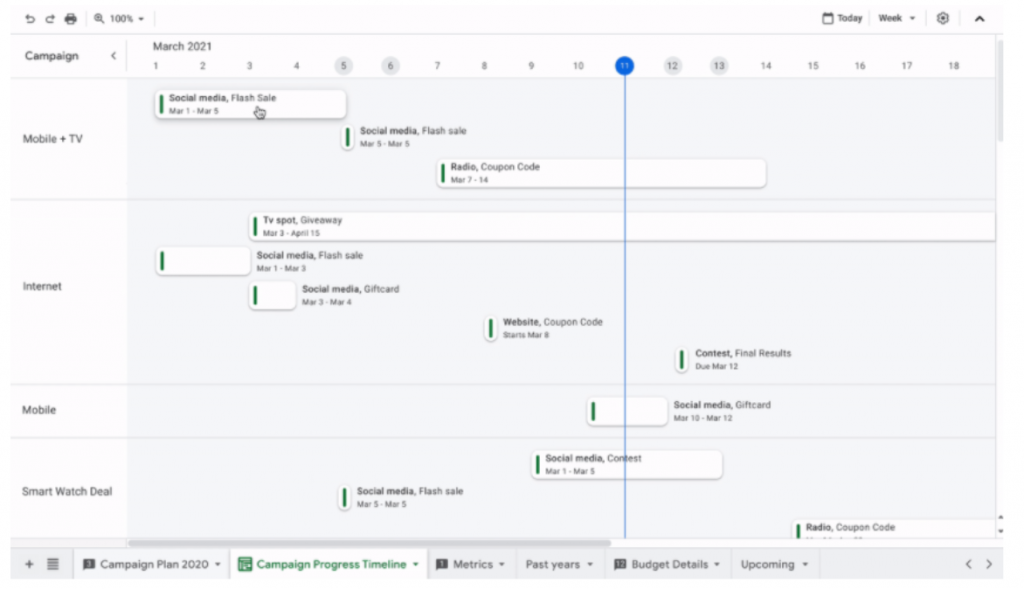
Toggling between views has never been easier with Google’s new timeline view in Google Sheets. The new timeline view allows organizers to view data in numerous ways, giving you even more flexibility in how and what you see and work with.
Using an interactive timeline can help teams manage deadlines, check their progress, and schedule events. Now you can work right inside of Google Sheets to track progress instead of having to switch over to an outside program.
3. Google chat and meet
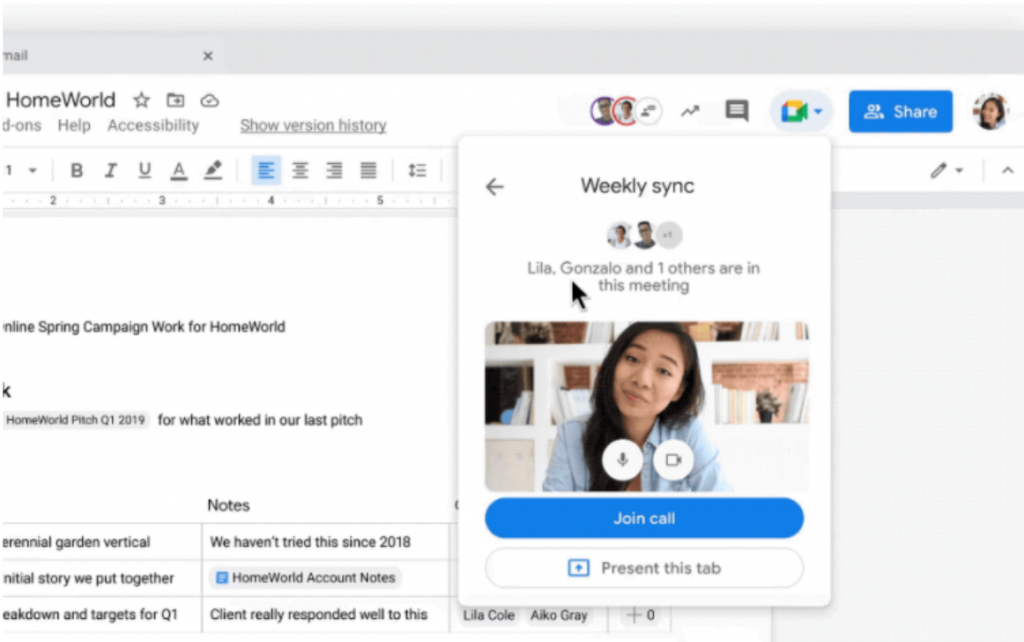
Teams can now jump from a discussion in Google Chat directly to building content together. This makes it easier to adjust on the fly and collaborate with coworkers and teams, no matter how far apart they are.
These improvements to Google Chat come alongside enhancements made with Google Meet, making Google competitive with Zoom and, in some cases, outdoing it. New features include live captions and translations during a Google Meet session and you can drop docs right into meetings.
4. Simple integration of Docs, Sheets, and Slides into Google Meet
Nothing is more annoying than bouncing from tab to tab when videoconferencing. Google Meet has made it so teams can integrate working Docs, Sheets, and Slides directly within a Meet. This means teams can interact and collaborate simultaneously. They will even be able to use emojis in real-time for reactions, Google stated.
5. Pageless docs
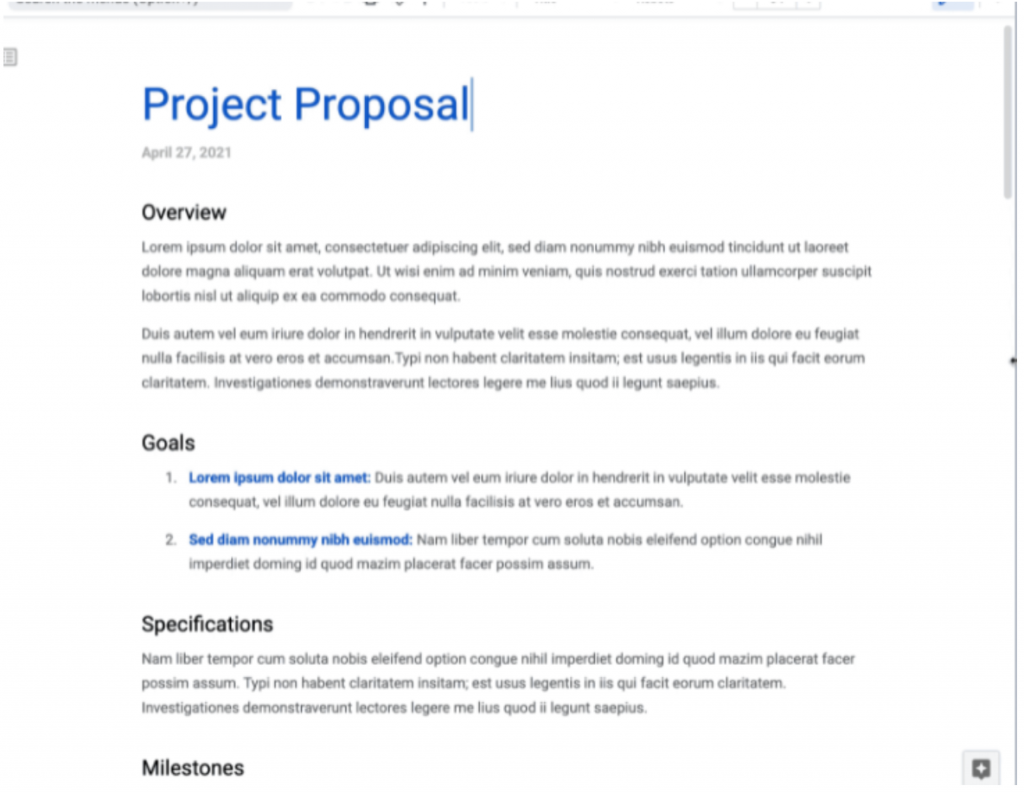
If you ever inserted a chart or photos into a doc, you undoubtedly noticed that a big graphic element could create a page break that ruined the formatting. Not anymore!
Just like the notes app on your phone, you can now have a running doc with no page breaks. Simply toggle the pages back on if you want to print or save a multiple-page PDF.
6. Writing assistance
A common complaint among many Google Doc users is that grammar- and spell-check features can be a little dysfunctional.
Because of this, Google announced they would be introducing additional assisted writing features in Docs on the web.
According to this Google blog post, updates will include:
“[W]arnings about offensive words and language, as well as other stylistic suggestions that can speed up editing and help make your writing more impactful.”
The verdict
Google’s smart canvas will continue to evolve, just like the new ways companies are changing in response to the coronavirus pandemic. From the looks of it, Google recognizes that there’s a widespread push for a more fluid, hybrid workplace, streamlining the workflow so you can “take the friction out collaboration,” as they say, from the digital workspace.
From adding DocuSign e-signatures directly in Google Workspace to the Salesforce connector that integrates with Sheets, all the new features should help you and your team get stuff done more efficiently.